Licensing

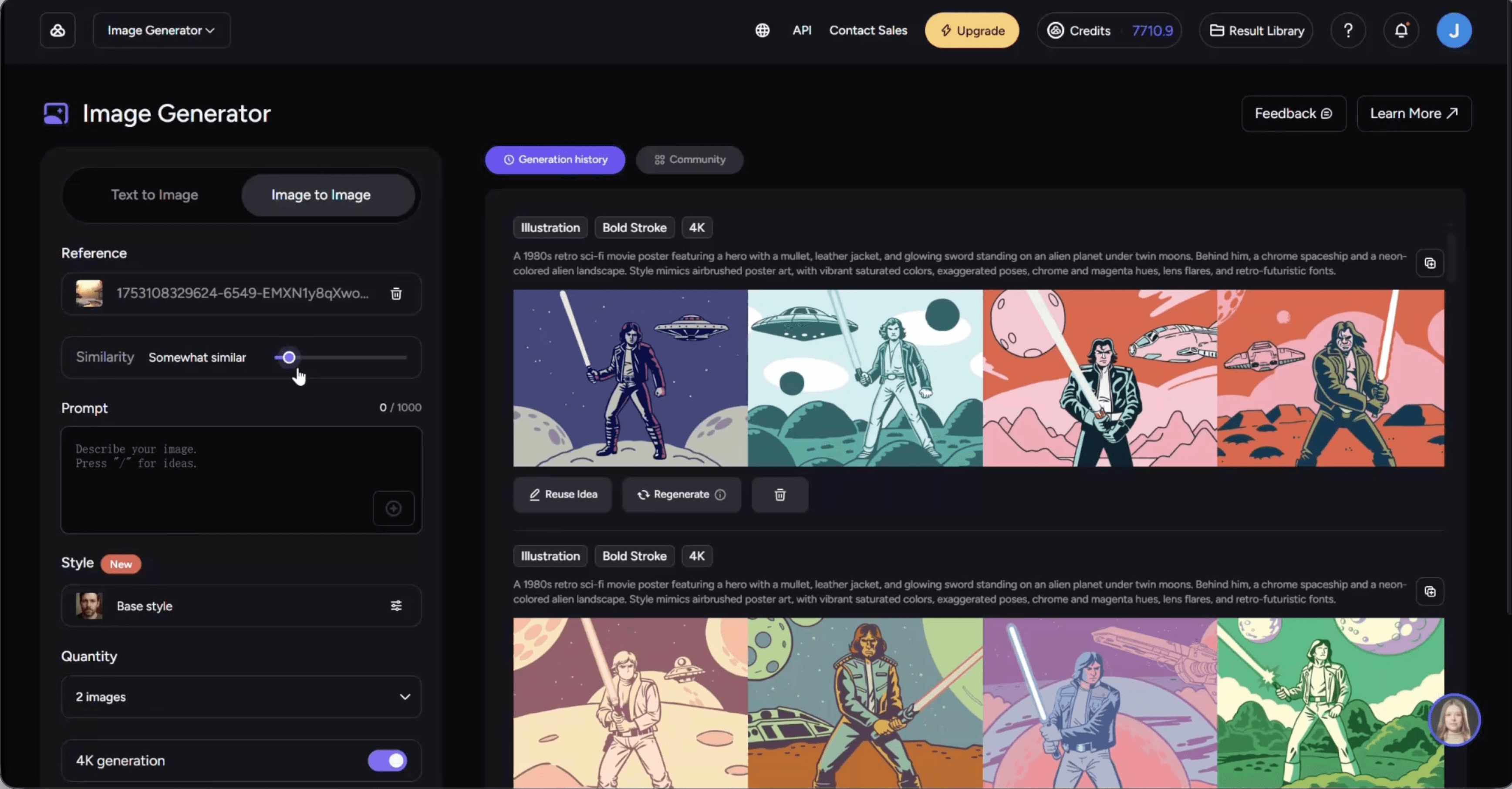
AKOOL AI Image Generator 2.0
Redesigning AKOOL's core creator workflow to unlock growth,
scalability, and seamless cross-tool conversion
Sole Designer
AI Creation Tool Redesign
End-to-End Design
Internship
Visit Site
+26%
Page Traffic
+18%
Daily Creations
3x
Cross-tool conversions
01
Background
1.1 About AKOOL
Akool is one of the fastest-growing AI creative companies in the US.
7M+
Users
73K
Companies Using
#1
on Inc. 5000 fastest-growing private
company in America
The company builds a suite of AI video generation tools, including Image Generator, Image to Video, Face Swap, Talking
Photo, Avatars, and Video Editing, with the goal of creating a unified ecosystem for creators.
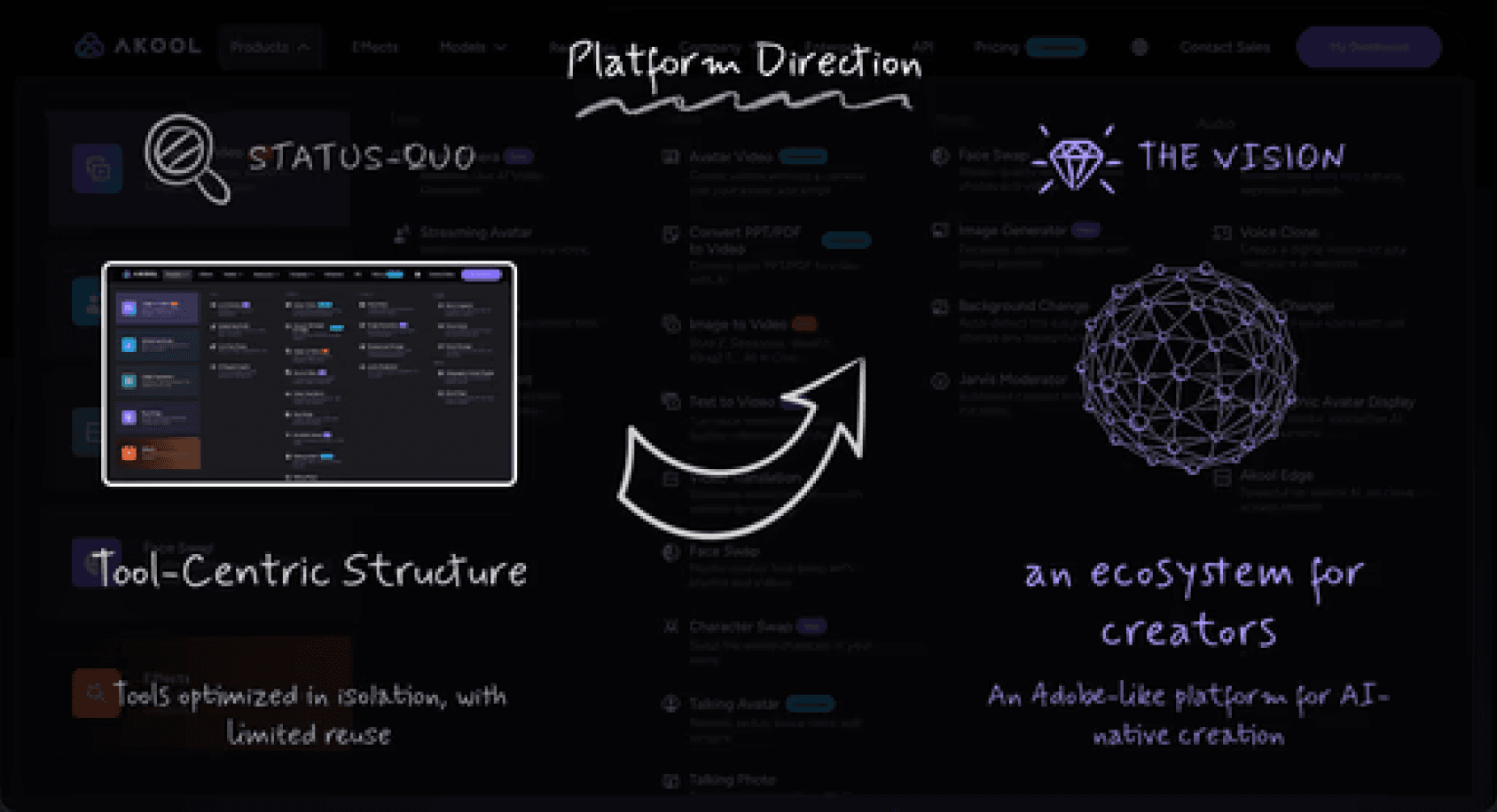
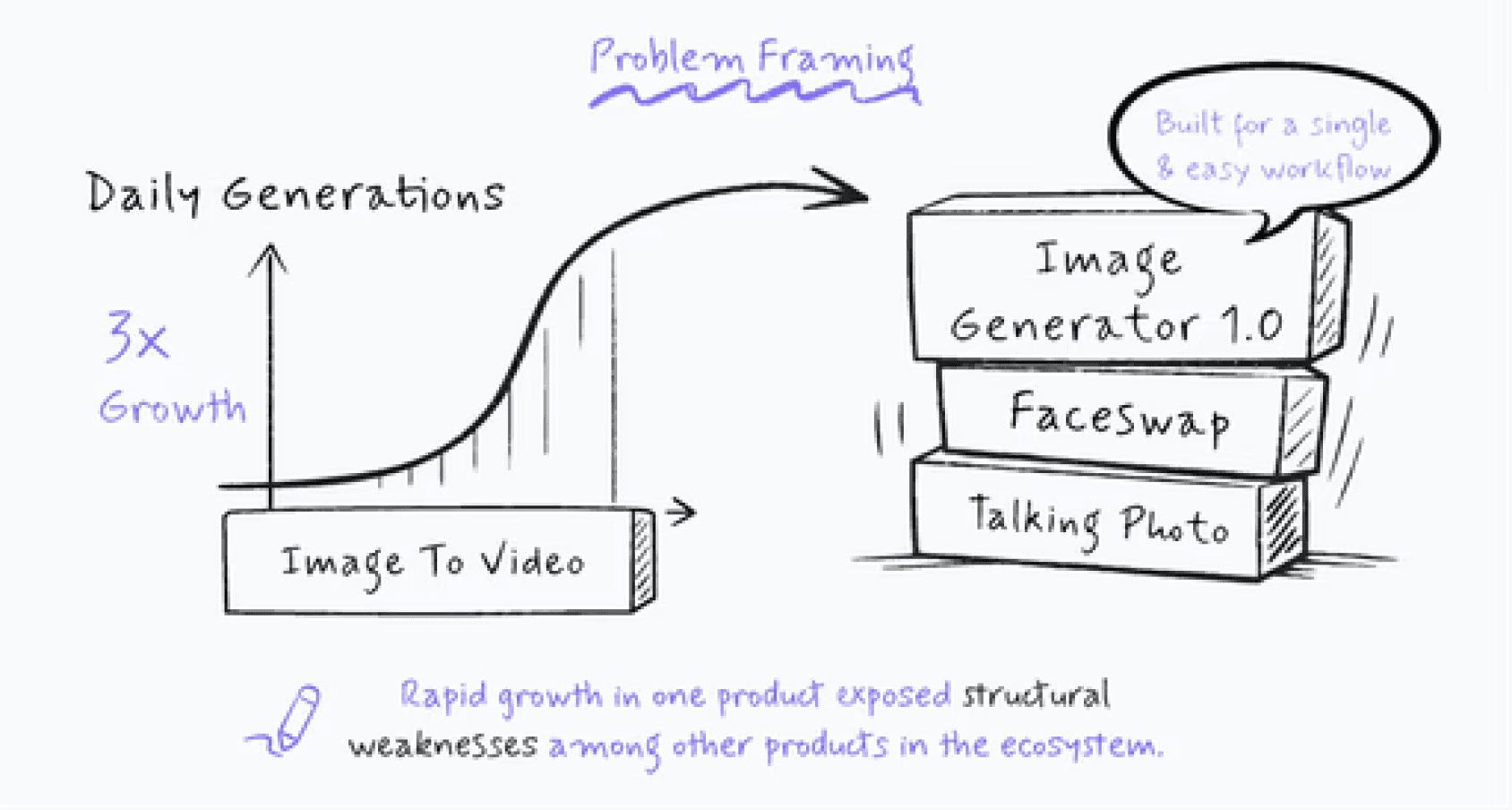
By early 2025, Image-to-Video went viral and tripled daily generations, bringing a large wave of new creators.
This sudden growth exposed critical gaps in the aging Image Generator 1.0, which had never been updated since launch.
1.2 Owning the End-to-End Redesign
I was the
sole
designer responsible for this redesign.
For Image Generator 2.0, I independently drove:
🔍 UX research
✍️ UI Design
🧩 IA (Information Architecture) redesign
🎨 Design system updates
🔗 Cross-product alignment
📱 Responsive and mobile design
🛠️ Developer handoff and QA
I collaborated primarily with 2 engineers and 1 PM, and delivered the full redesign in
two month
.
Here’s a quick look at the product before and after the redesign.
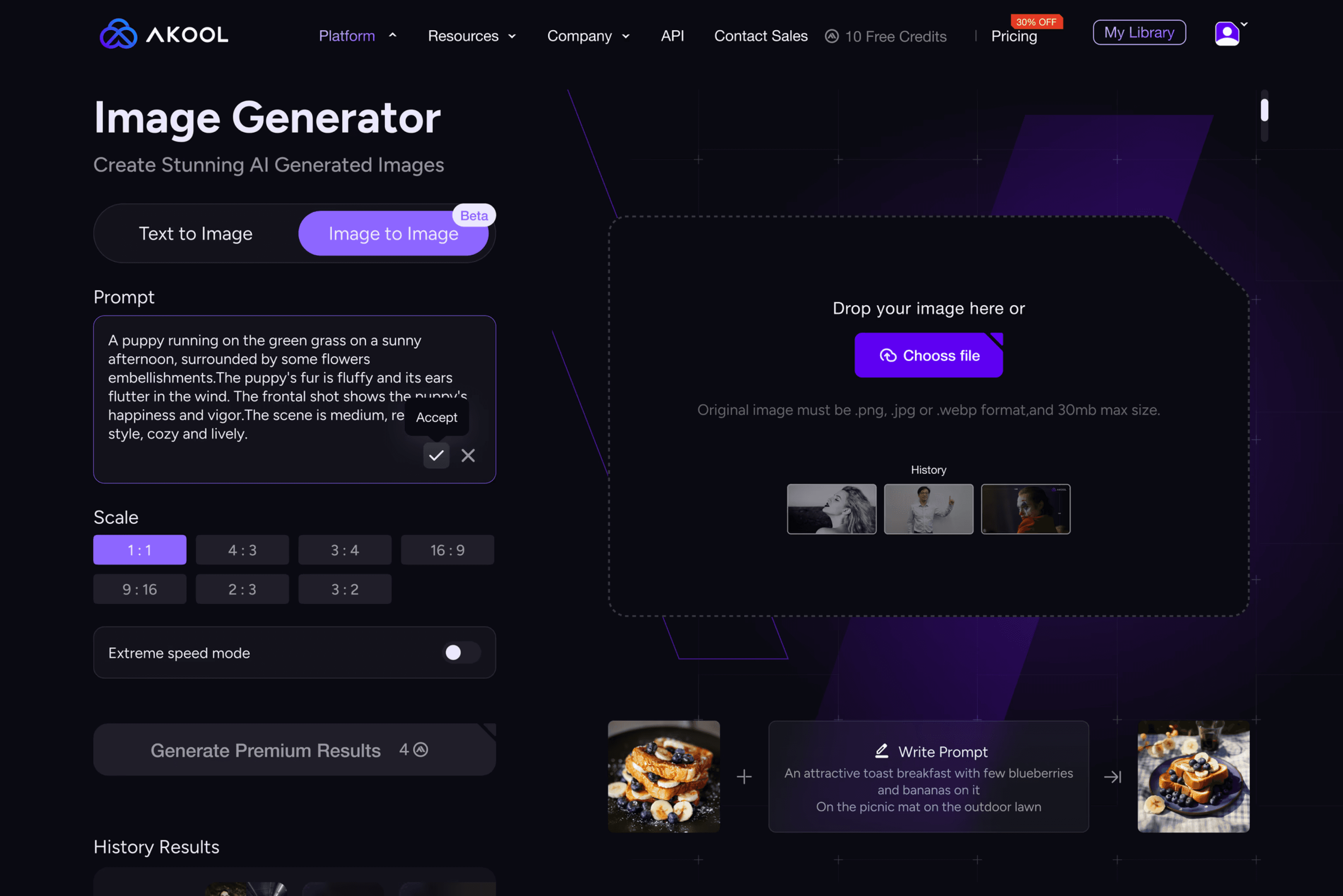
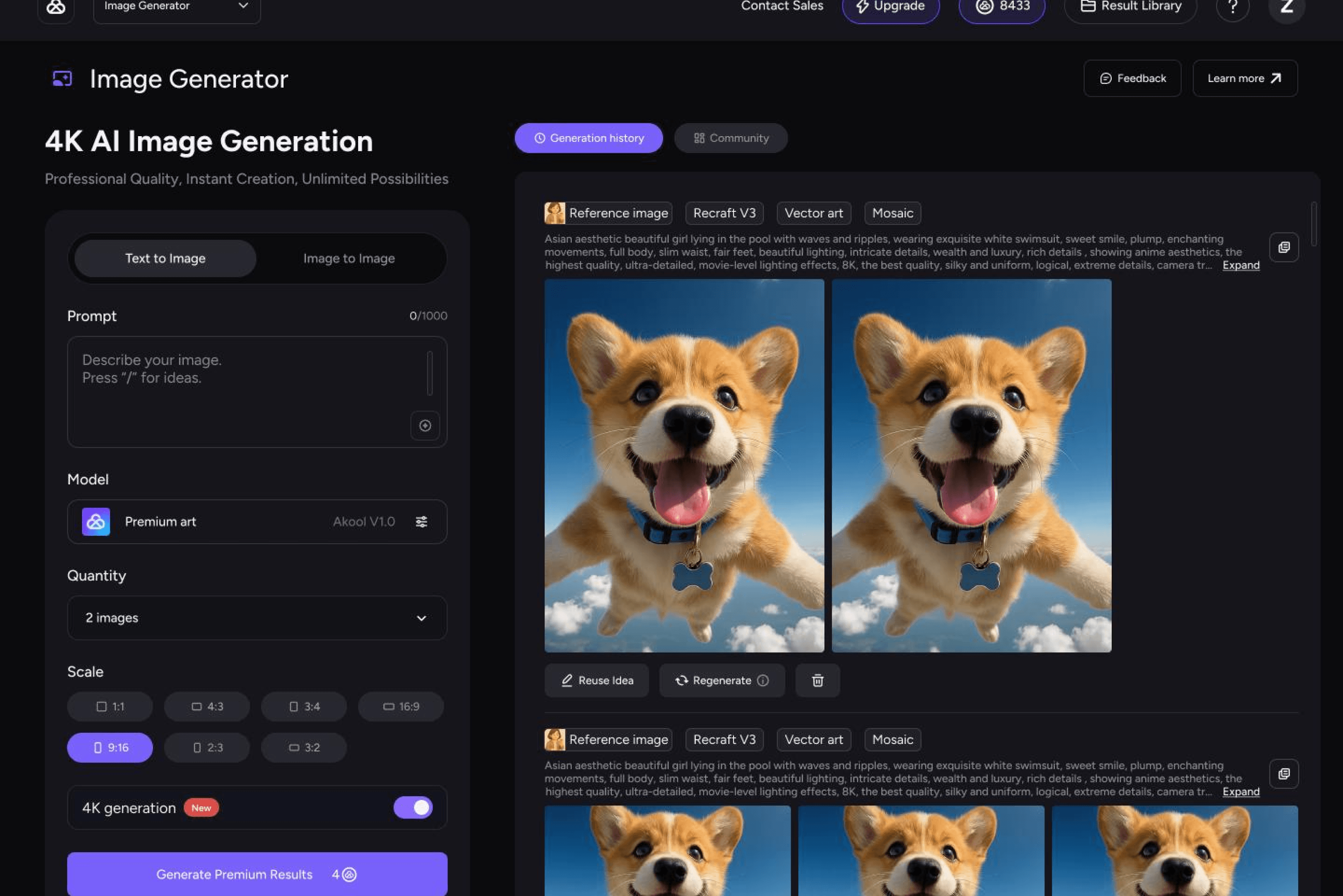
Before
After
02
Why Redesign
Before diving into the redesign, it’s important to understand why the old system could no longer support Akool’s growth.
Designed for a simple “upload → generate” workflow
, IG 1.0 lacked the architecture needed for Akool’s fast expansion into a
multi-model, multi-tool ecosystem.
From the old experience, three systemic problems emerged.
Problem 1
A single-purpose IA
couldn’t scale

Problem 2
No normalization layer
across models

Problem 3
The Preview UX broke
the workflow
How these problems appeared in the product:
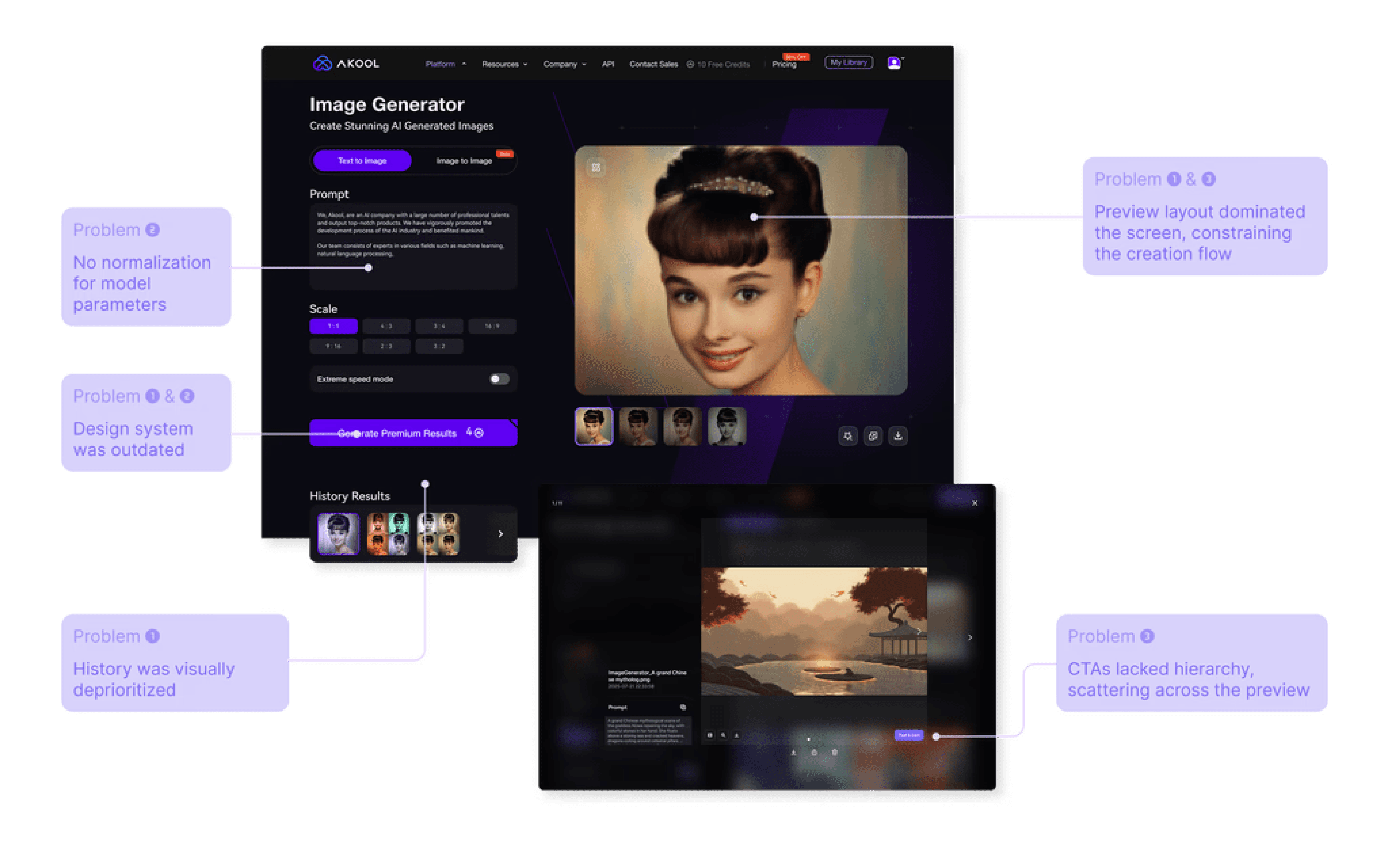
We needed a system that could
scale
.
03
Design Strategy
In a fast-moving startup, design is often pulled into short-term fires.
Instead of letting urgency dictate the direction, I intentionally balanced immediate velocity with system-level decisions to
prevent future UX debt
and
support scalable growth
.
1
Shipping Updates
2
Self-driving UX
Beyond Requirements
3
Business Goals
(Aligning the Redesign with)
Click on the different level of the pyramid to view my
corresponding design strategy.
04
Key Design Decisions
4.1 Shifting to a Two-Pane IA
As Image Generator expanded to support new models, multi-image workflows, and cross-tool actions, the original information
architecture began collapsing under increasing structural complexity.
Because the IA was tightly coupled to a linear, step-by-step user flow, users were forced down a single path—making
iteration, result comparison, and reuse increasingly difficult as new features were added.
To unlock scalability, I restructured the workflow into a two-pane system—decoupling creation from result management for
the first time.
Before
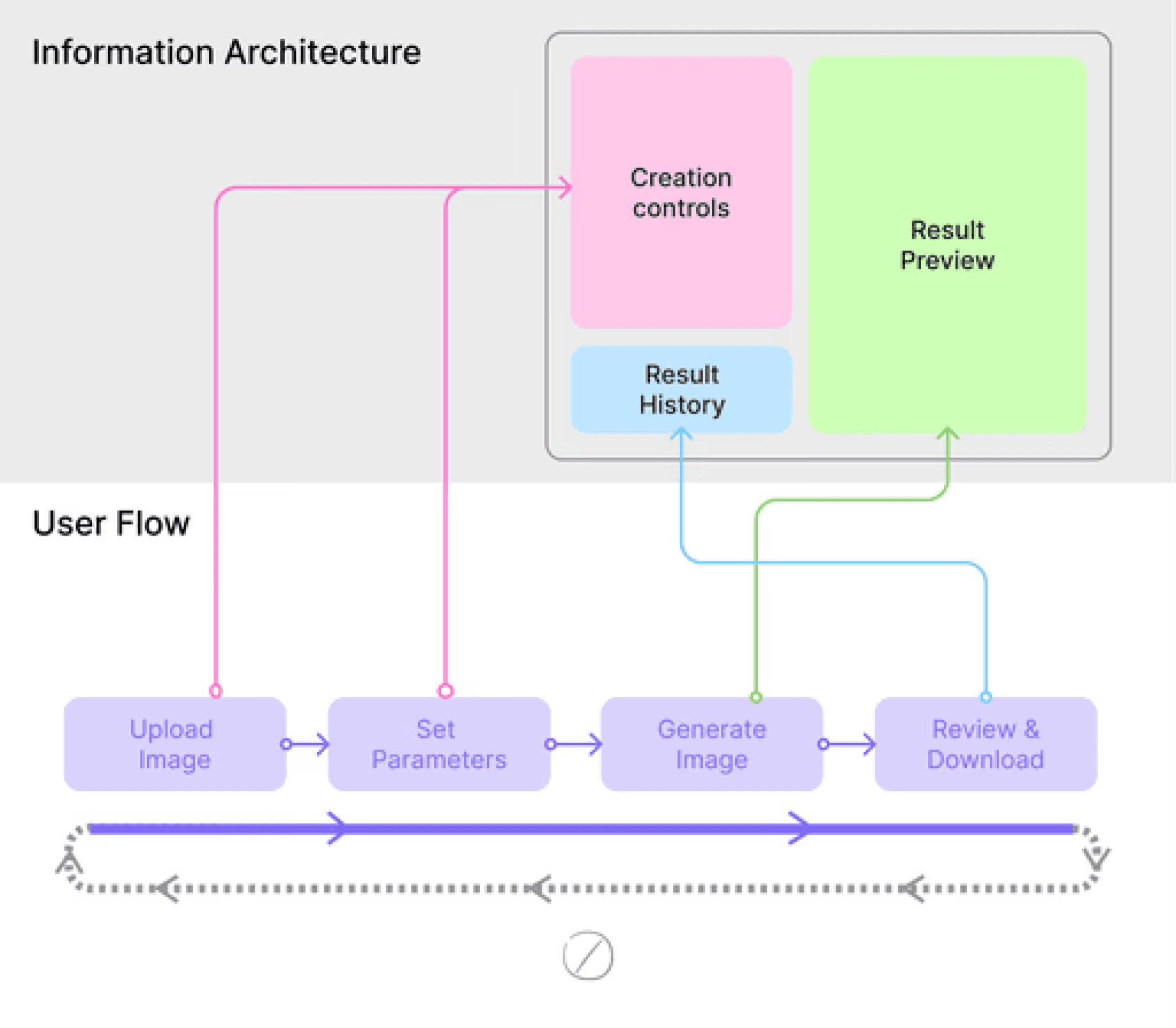
A linear IA that forces users down a single path, blocking
iteration and new feature growth.
After
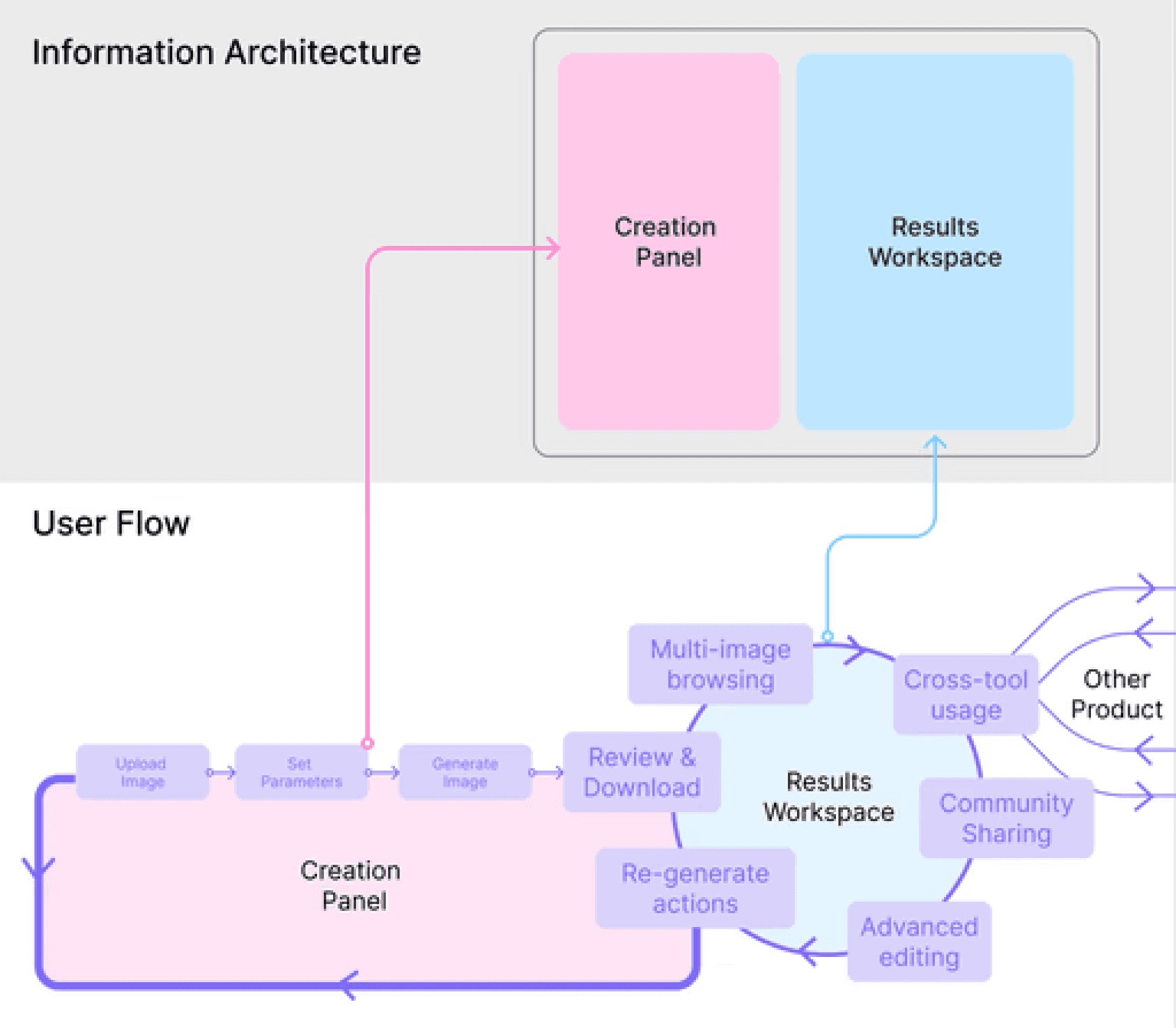
A modular IA that decouples interaction from workflow steps,
supporting iteration, branching, and future tools.
Trade-off
Adopting a two-pane IA required additional engineering effort and refactoring several core components.
Outcome
The redesigned IA became a platform pattern reused across other tools such as Image-to-Video, reducing long-term design
and engineering alignment cost.
4.2 Turning Preview into a Platform-Level Module
Here’s how I uncovered and expanded this problem:
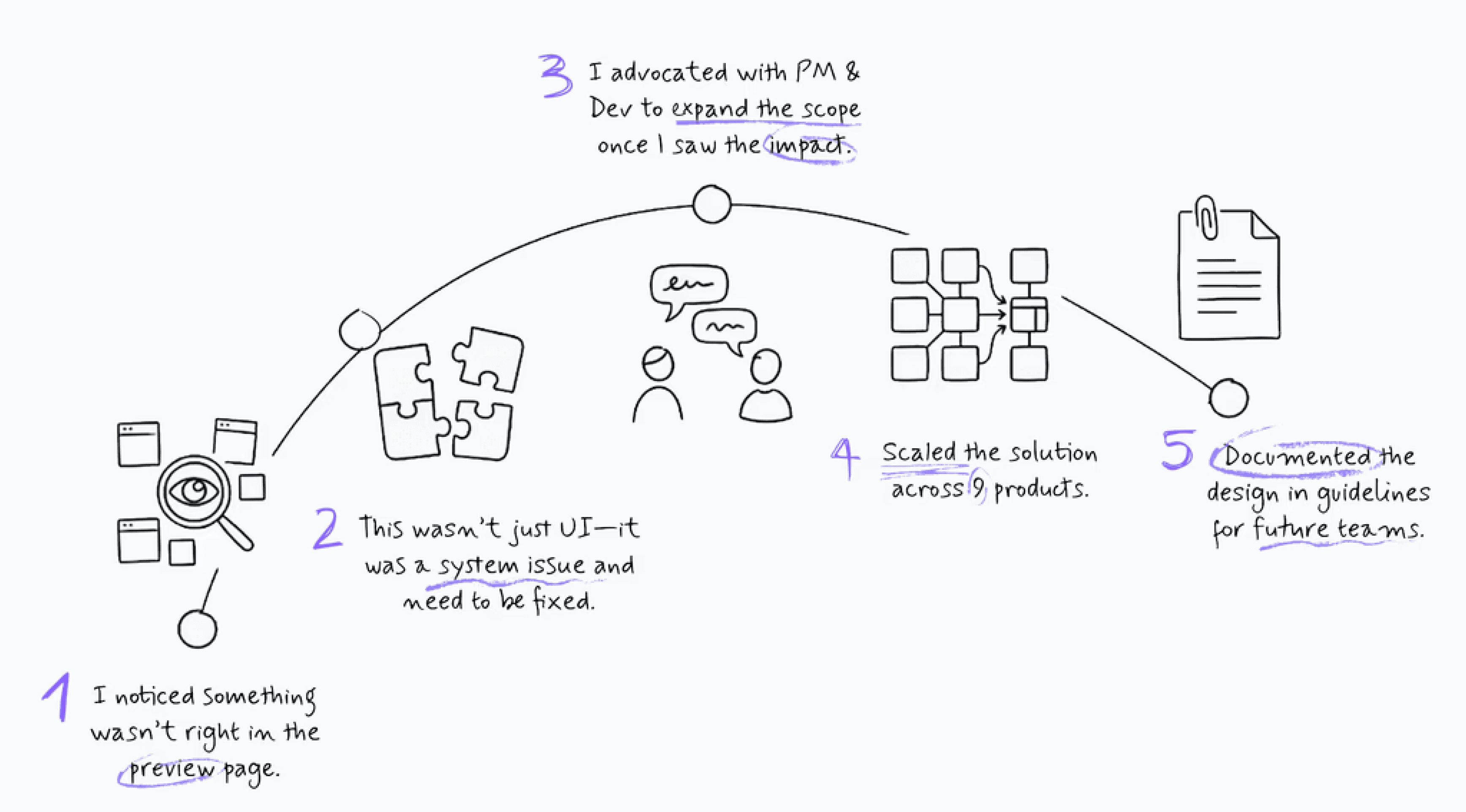
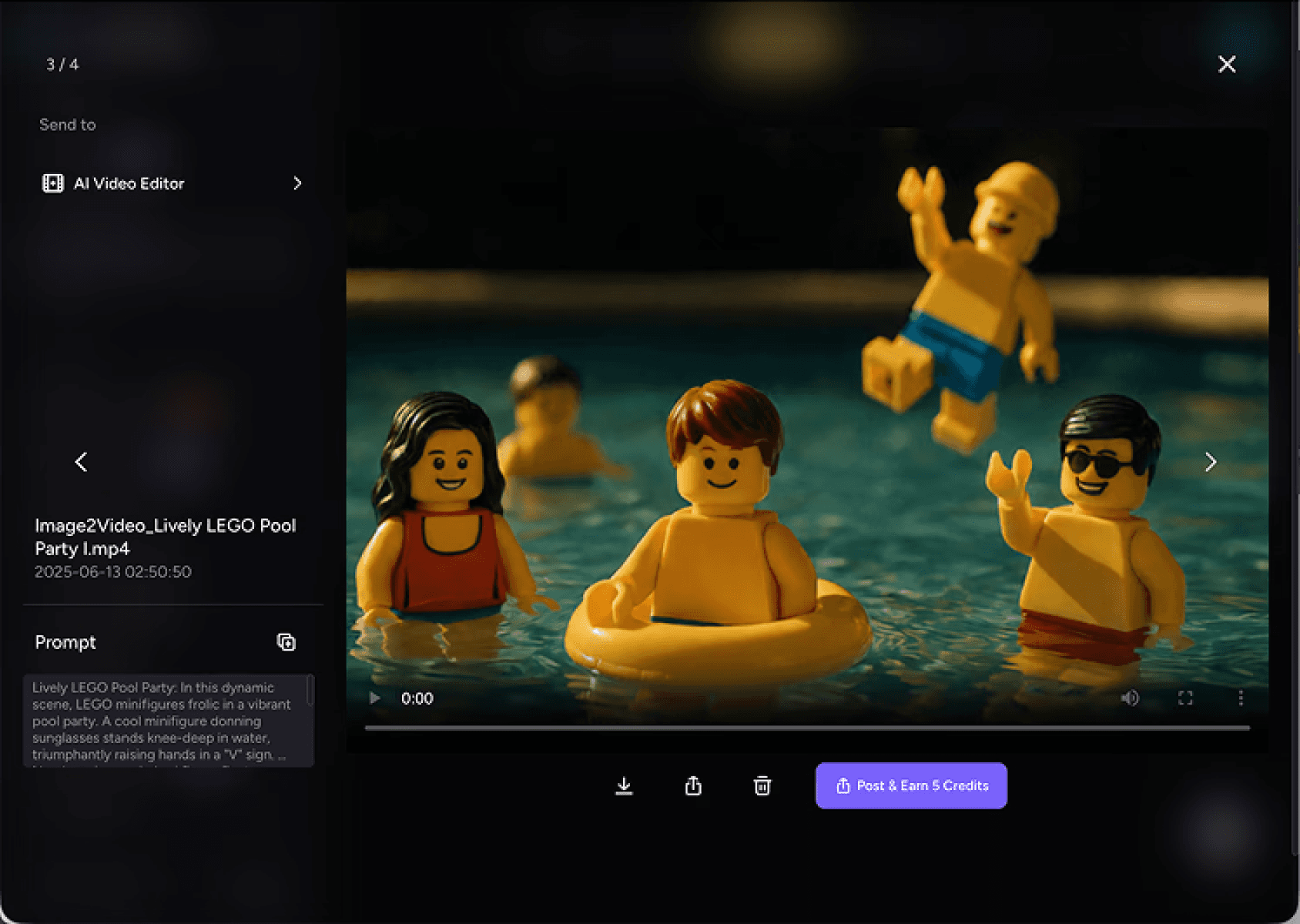
Preview inconsistencies across tools revealed a deeper issue: each product had evolved its own logic and workflows, making
iteration and cross-tool usage increasingly difficult.
Although Preview wasn’t in my scope, the gap would limit future scalability — so I dug deeper instead of designing around it.
What looked like a UI issue turned out to be a missing platform pattern.
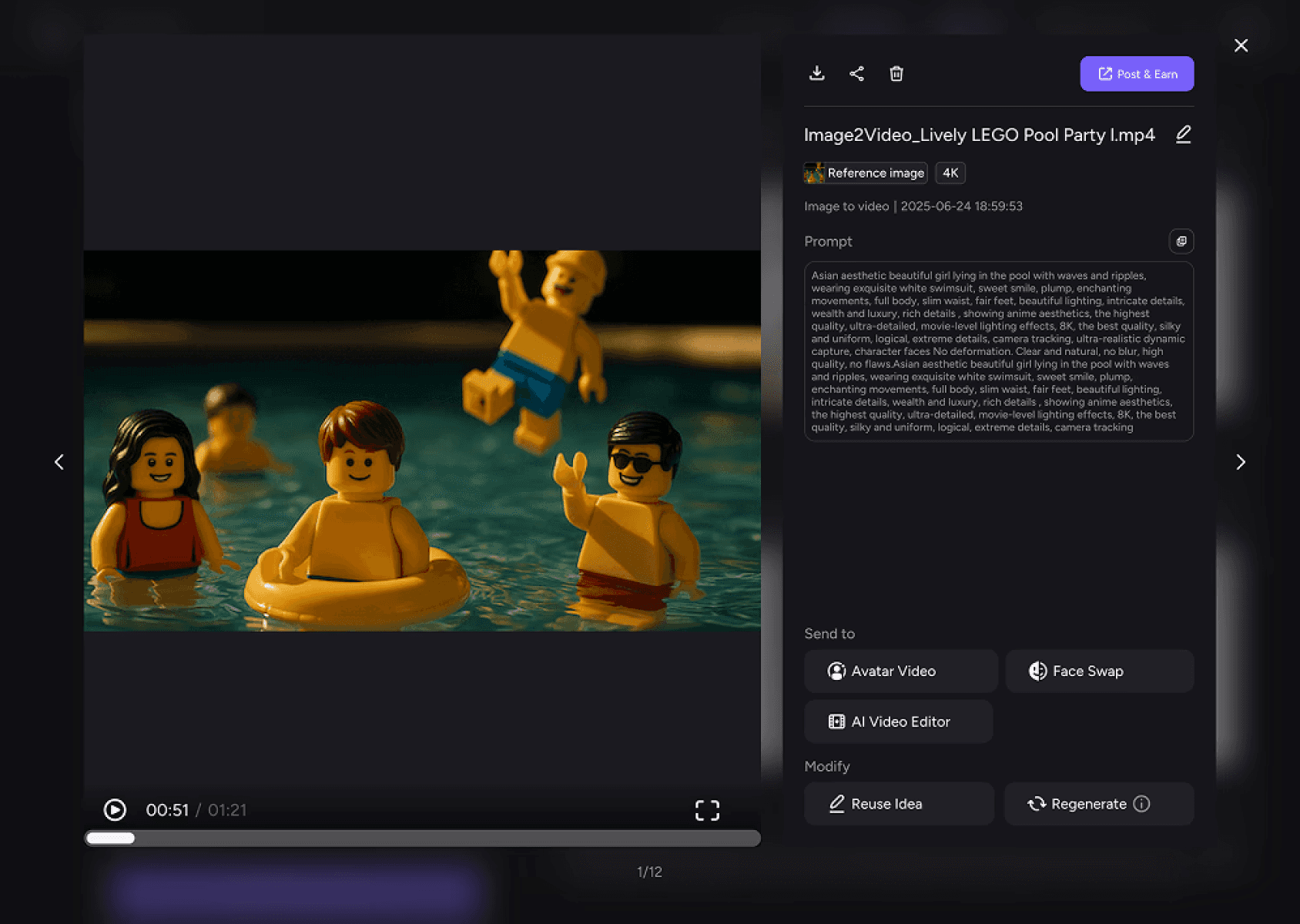
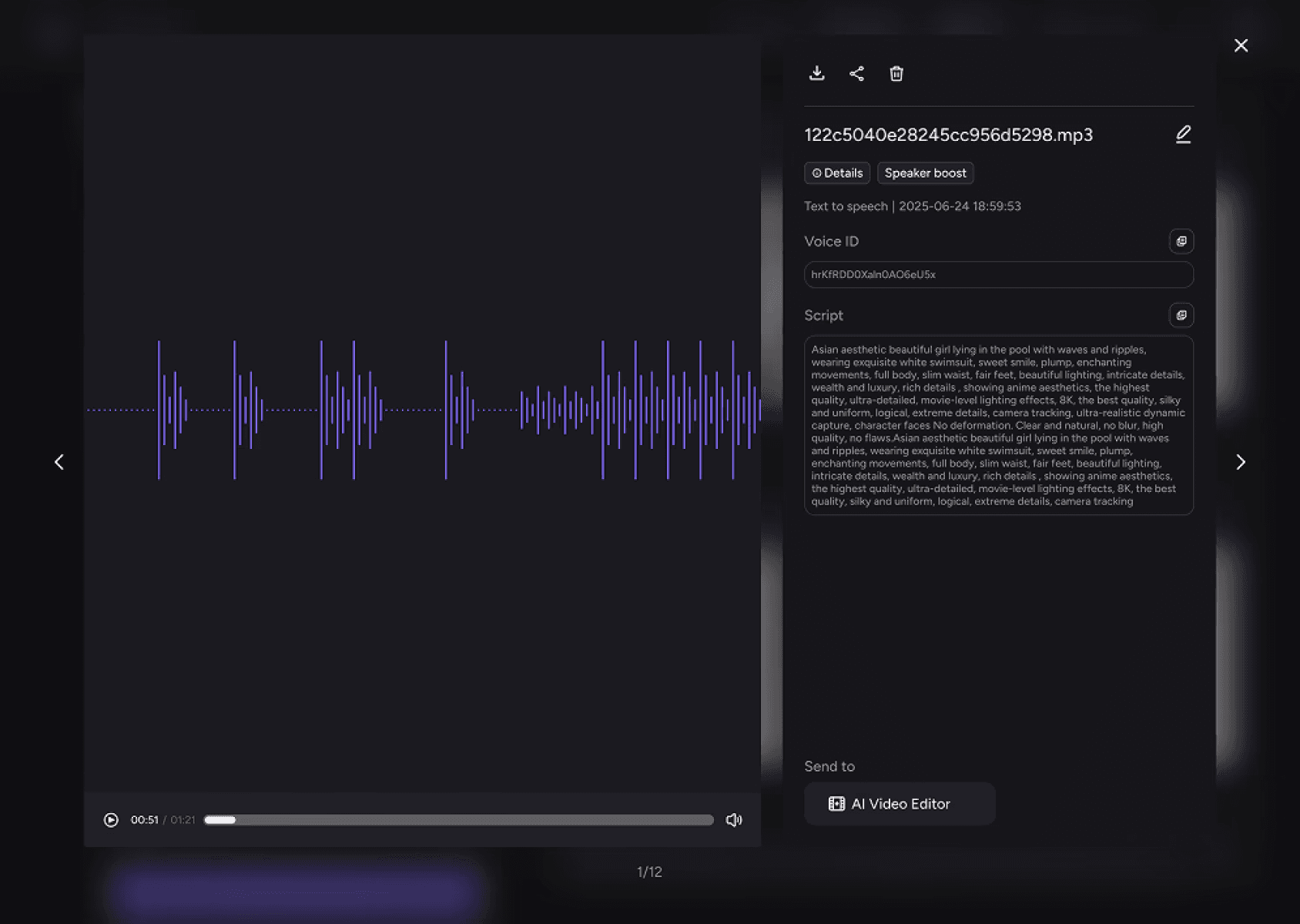
I proposed a unified Preview model, aligned PM and engineering on expanding the scope, and scaled the system across nine
products. The pattern is now part of our platform guidelines to ensure consistency moving forward.
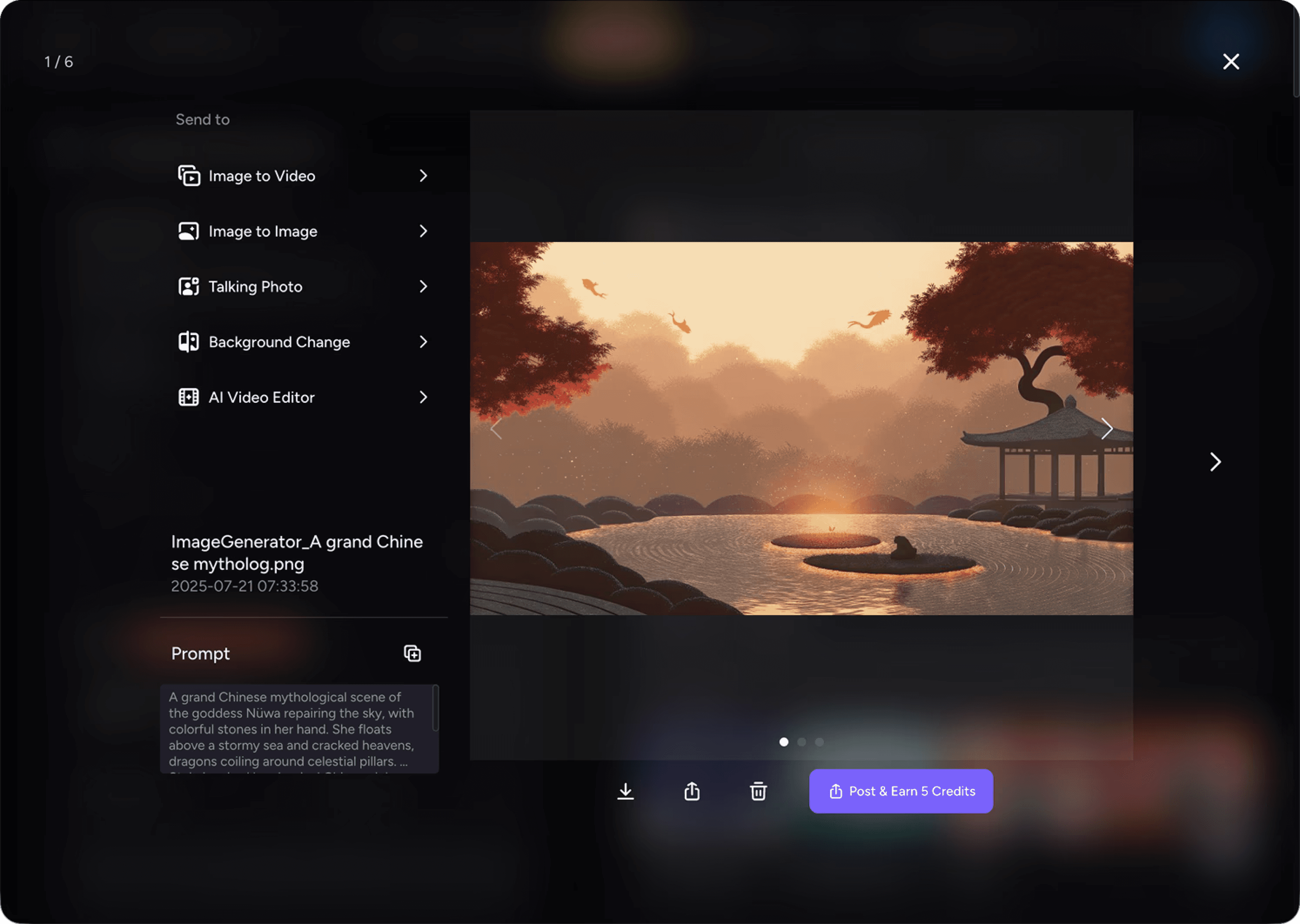
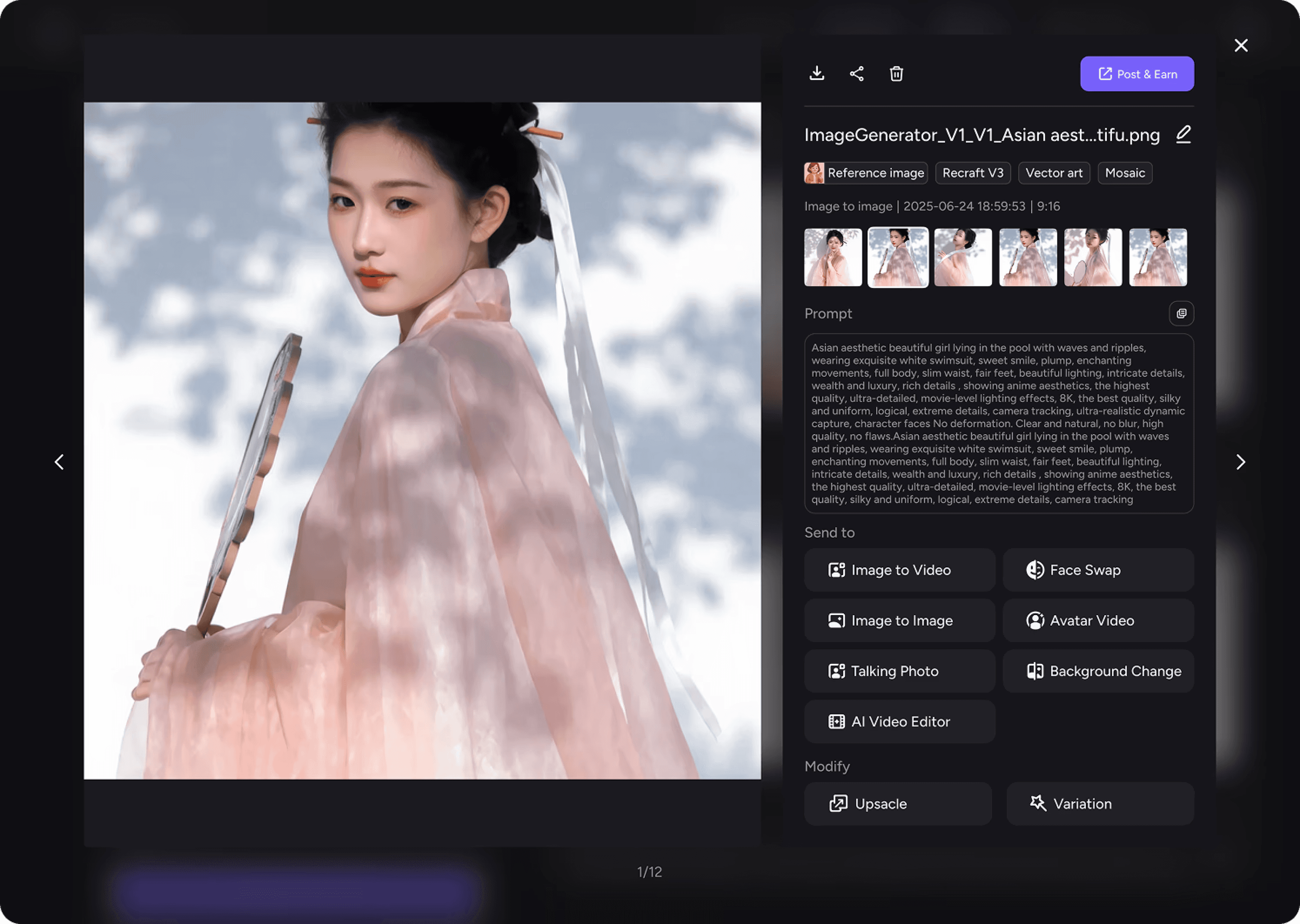
Before
After
The unified Preview model now scales consistently across image, video, and audio products.
Before
After
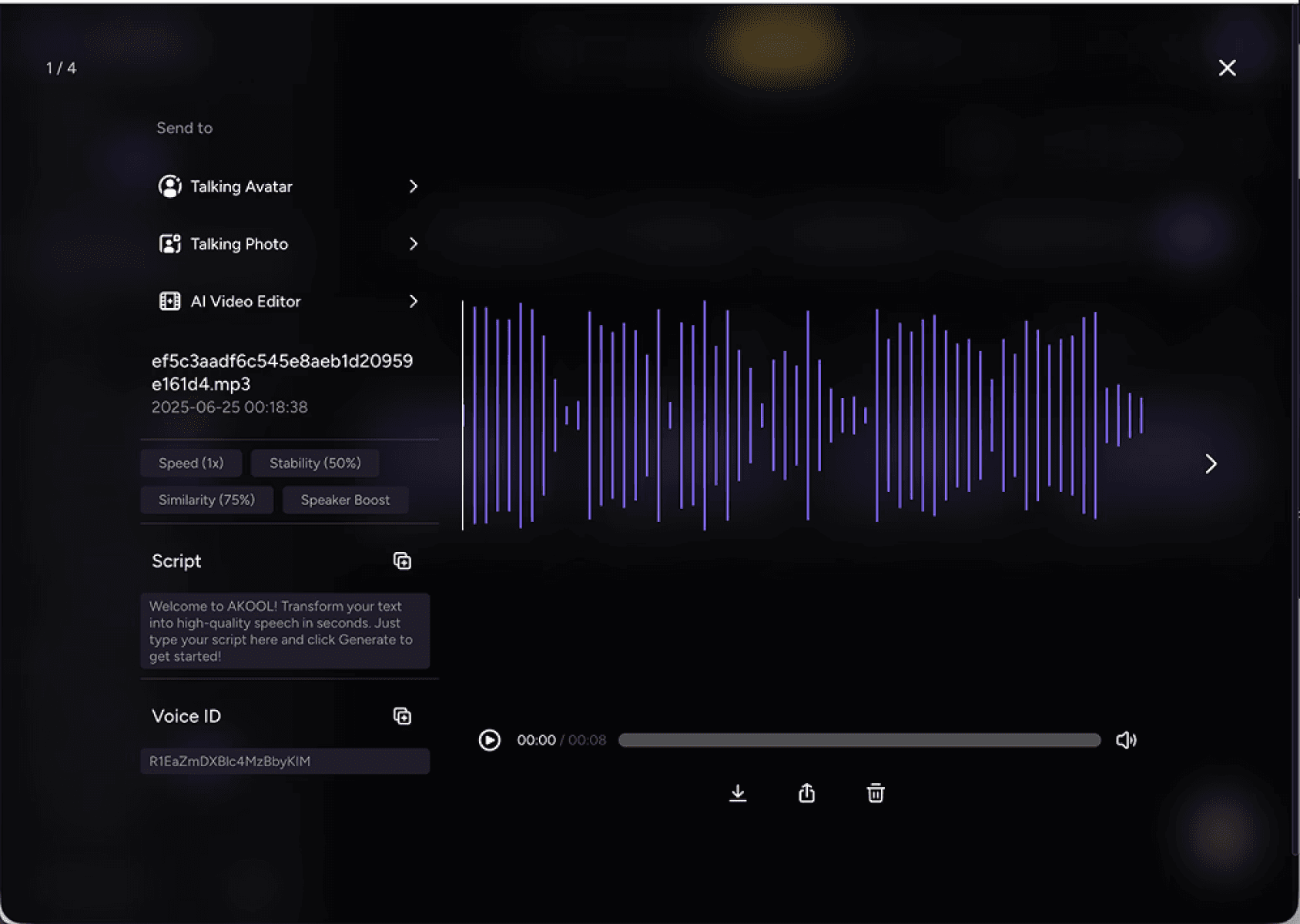
Before
After
Solution
1️⃣ A unified Preview architecture that supports
consistent actions across tools
2️⃣ Clear grouping:
Edit / Send to Tools / Actions
3️⃣ A media-agnostic structure enabling reuse
across image, video, and audio products
Outcome
A reusable preview module with consistent
actions, clearer hierarchies, and seamless
cross-tool conversion.
Now adopted across 9 products and forming
a core part of our platform design system.
4.3 Simplifying a Multi-Image Result Grid
When redesigning the generation history, the core challenge was maintaining clarity as image count and aspect ratios varied.
At first, I tried to design a perfect grid solution. As shown in the attempts below, I mapped out layouts that could handle every
combination of image count and aspect ratio.

However, as requirements shifted—from 8 images to 6, then to 4—engineering feedback made it clear that this approach
would be difficult to build, maintain, and ship reliably.

Continuing down this path was starting to impact other priorities, which made it clear that this wasn’t a sustainable design
approach.
Instead of continuing to enumerate edge cases, I reframed the problem with engineering:
What is the minimum set of layout rules that guarantees a stable and legible preview experience, regardless
of image count or aspect ratio?
Based on this framing, I provided engineering with a small set of clear, implementation-ready design principles to build
against.
Engineering implemented the grid using these rules, while I focused on validating edge cases, reviewing behavior across
breakpoints, and ensuring the principles held consistently in real usage. This shifted complexity away from layout
permutations toward a predictable, scalable system.
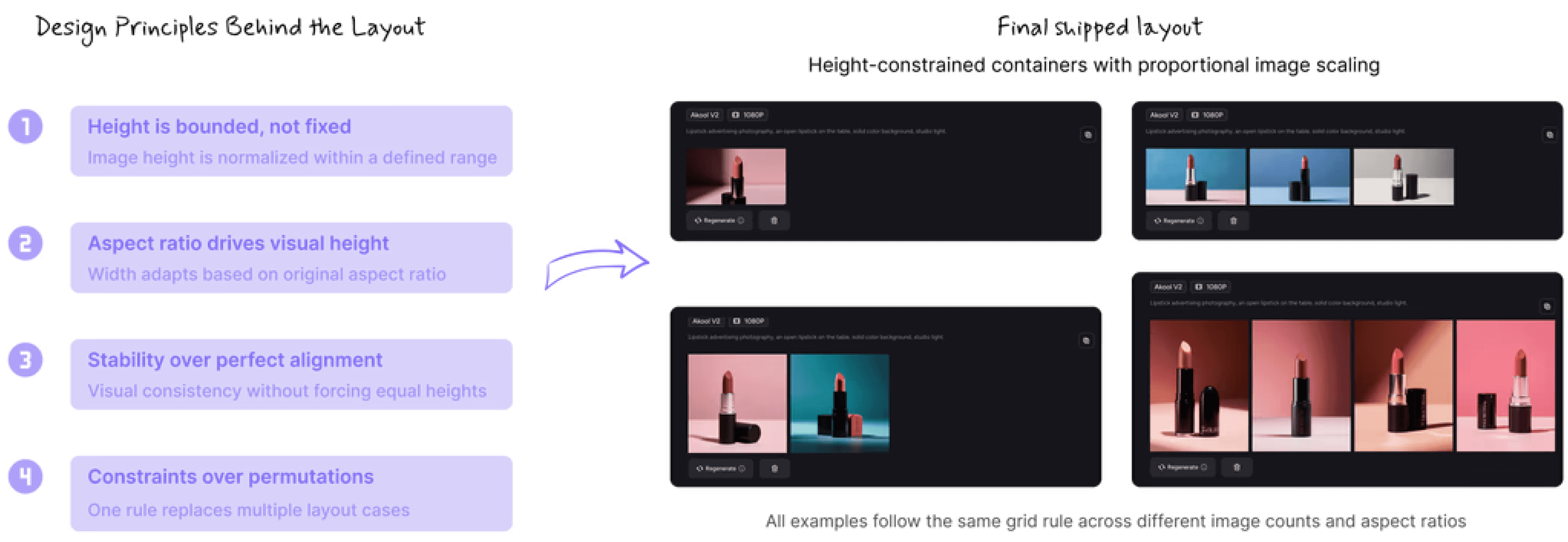
This made the layout easier to evolve without redesigning the grid each time requirements changed.
Trade-off
Gave up perfect layouts in rare cases
→ gained lower complexity, faster iteration, and higher confidence in delivery.
4.4 Designing a Unified Model & Style Picker for 100+ AI Models
Image Generator 2.0 marked a structural shift from a single model (Flux) to supporting multiple third-party providers, including
Flux, Recraft, and HiDream.
This introduced significant asymmetry. Recraft alone added over 100 models with different styles, while others offered only a
few—making a flat, model-first list difficult to scale without overwhelming users.
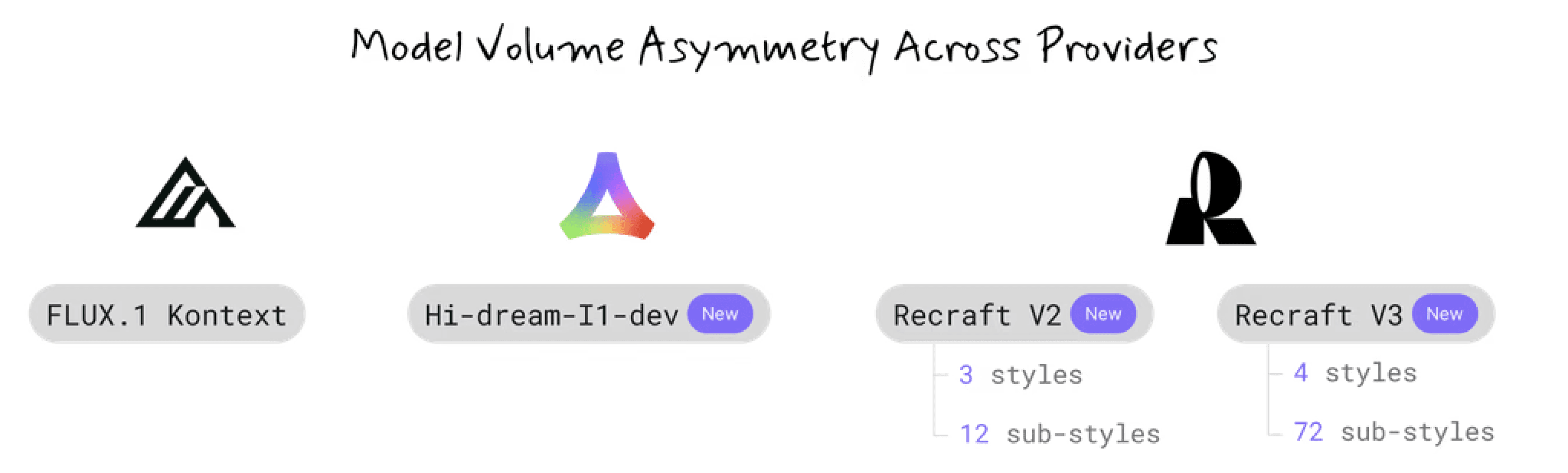
Rather than exposing models directly by provider, I organized the selection experience around visual intent.
This approach separates fast decision-making from deeper exploration, allowing users to choose based on creative intent
while keeping the full catalog accessible.
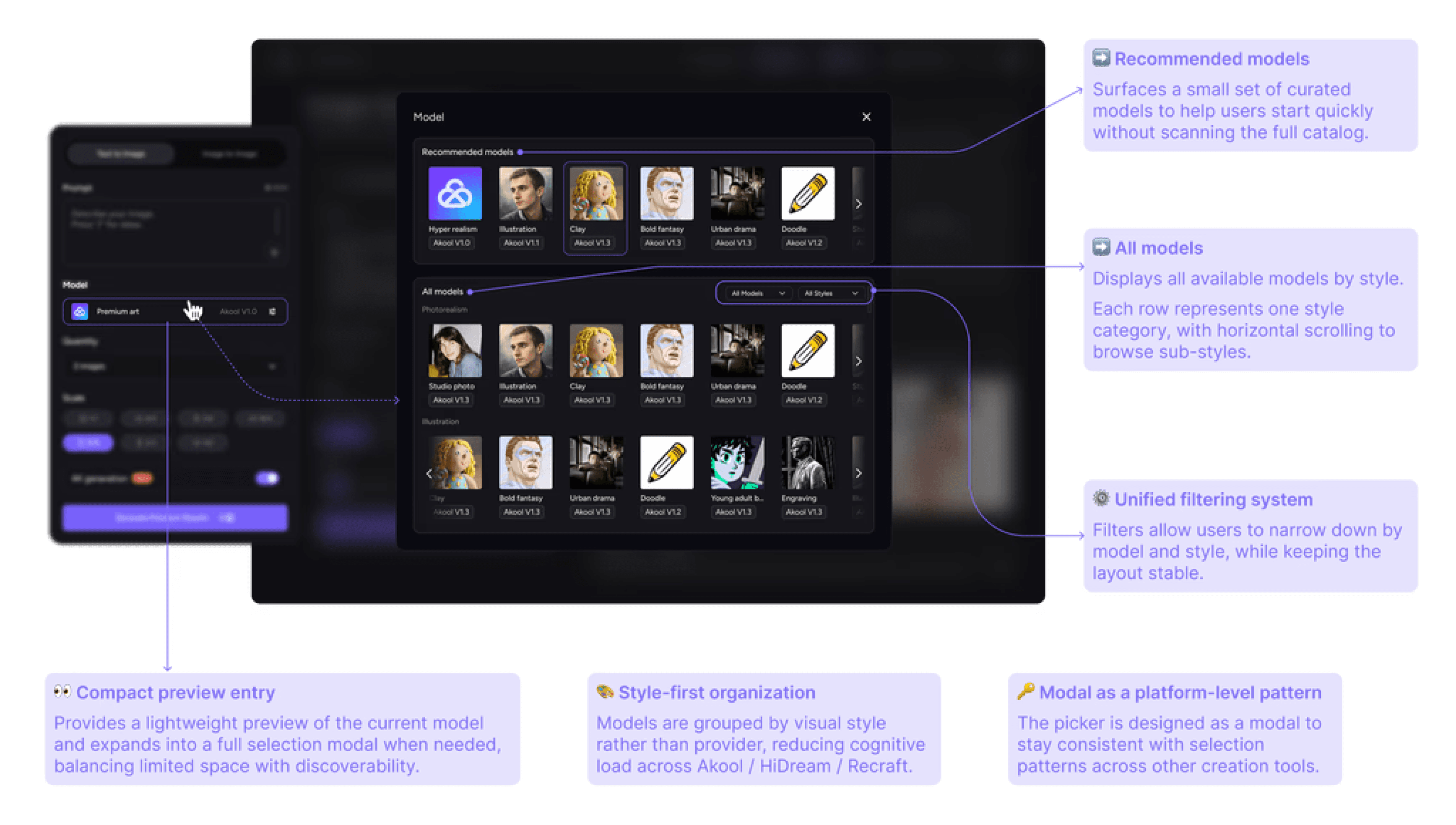
Trade-off
Chose to organize selection around artistic style
rather than exposing raw model distinctions,
prioritizing user intent over technical accuracy.
Outcome
Enabled fast, predictable model selection across
providers with highly uneven model volumes.
05
Impact
The tool became easier, faster, and more connected.
+26%
Page Traffic
+18%
Daily Creations
+37%
(Upscale / Variation / Modify)
Advanced Editing Tool Usage
Ecosystem Impact
3x
Cross-tool Conversions
More users sending images into
Video, Face Swap, and Talking Photo.
Platform-level Adoption
9
Product Lines
Redesigned preview module adopted across
Engineering Impact
-50%
Reduction in layout complexity
Enabling faster implementation of future features.
What users and stakeholders said after the redesign:
"This is the first time the preview feels
like a real, scalable product."
-Klein, PM of the product
“Much easier to find models and iterate
on results now!”
-Annonymous User
06
Reflection
This project shaped how I approach system design, problem framing, and product growth. Here are the key takeaways and
what I would explore next.
6.1 Key Takeaways
Wrong assumptions must be corrected by data
We expected art models to be popular; however, data shows that users preferred simple, fast defaults.
This reminded me to verify desirability early and treat usage data as a design signal, not an afterthought.
Design must join the problem-definition stage earlier
Many v1 issues were rooted in early requirements.
Good design decisions depend on good problem framing. I now prioritize upstream alignment with PM and dev team.
6.2 Next Steps
A/B testing model density and grouping
Personalized model recommendations
More user interviews with professional creators
Data-driven refinement of cross-tool workflows
07
Other Designs
Beyond the core redesign, I explored a set of edge cases and responsive patterns to ensure the system remains stable,
predictable, and scalable across different devices, models, and real-world usage scenarios.
These explorations were not the primary focus of the case study, but they reflect how I think about product completeness,
system boundaries, and long-term maintainability.
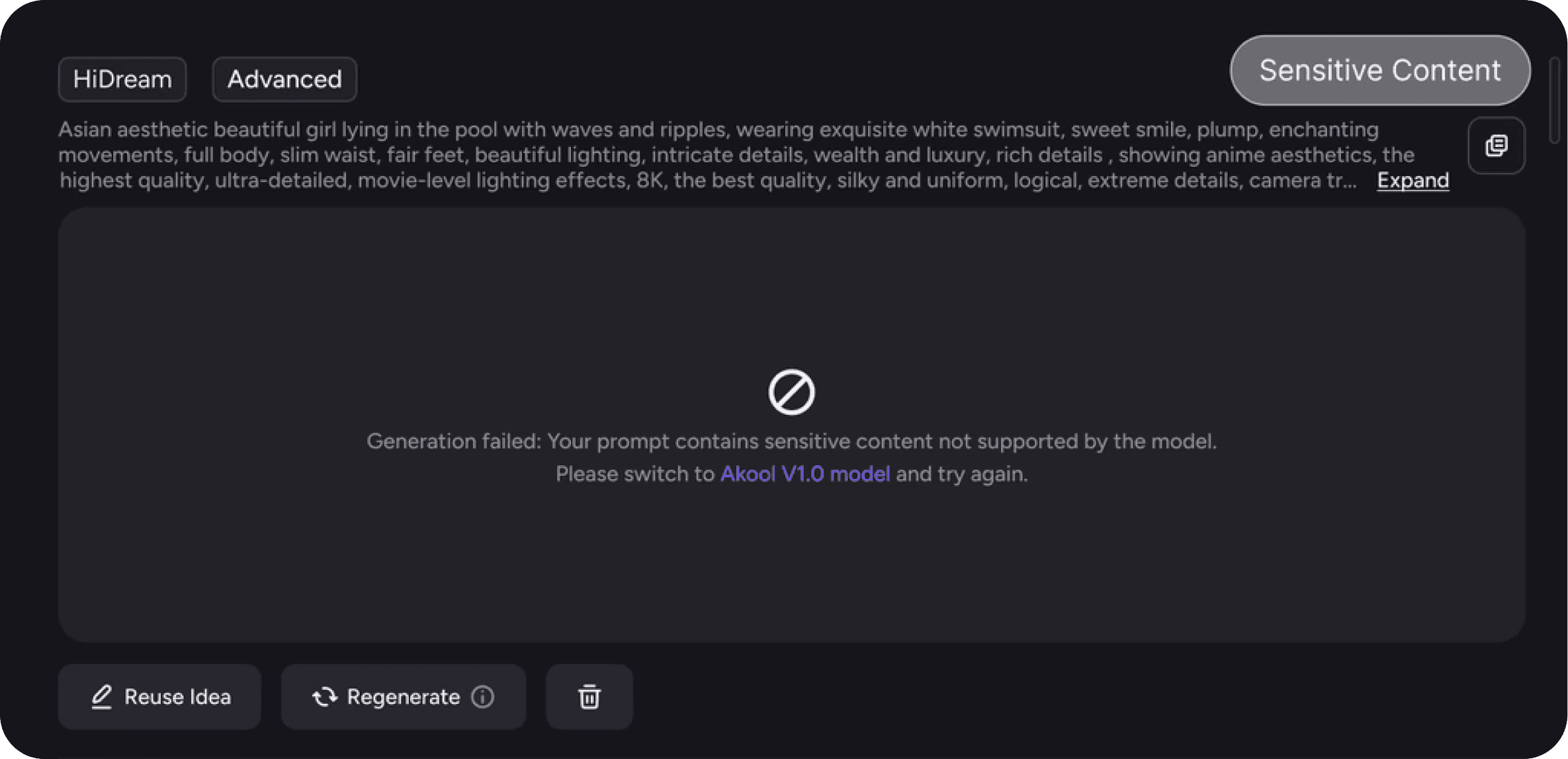
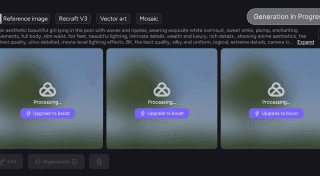
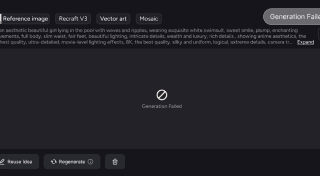
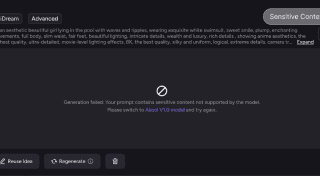
Error States
Includes processing generation,
generation failure, and safety-blocked
scenarios during image creation.
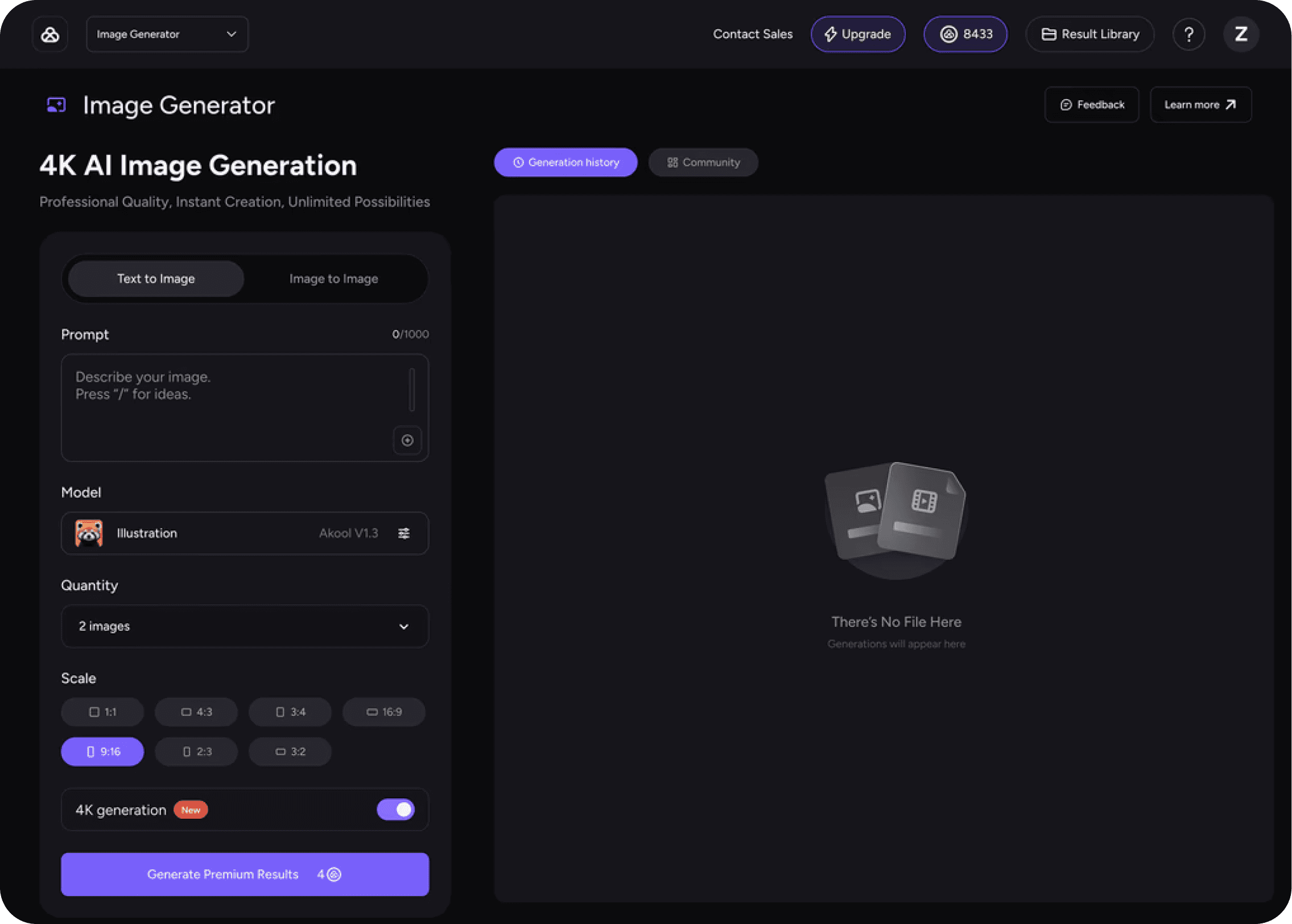
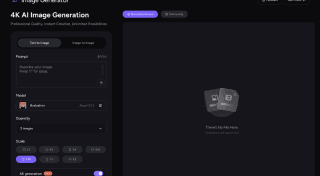
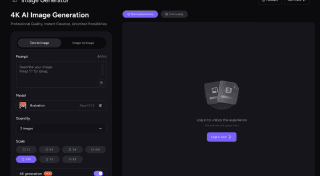
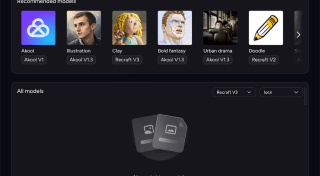
Empty States
Covers unauthenticated users, empty
generation history, and missing styles for
selected models.
Responsive Layouts
Shows responsive layouts across
desktop, tablet, and mobile, with key
controls and results preserved at every
breakpoint.
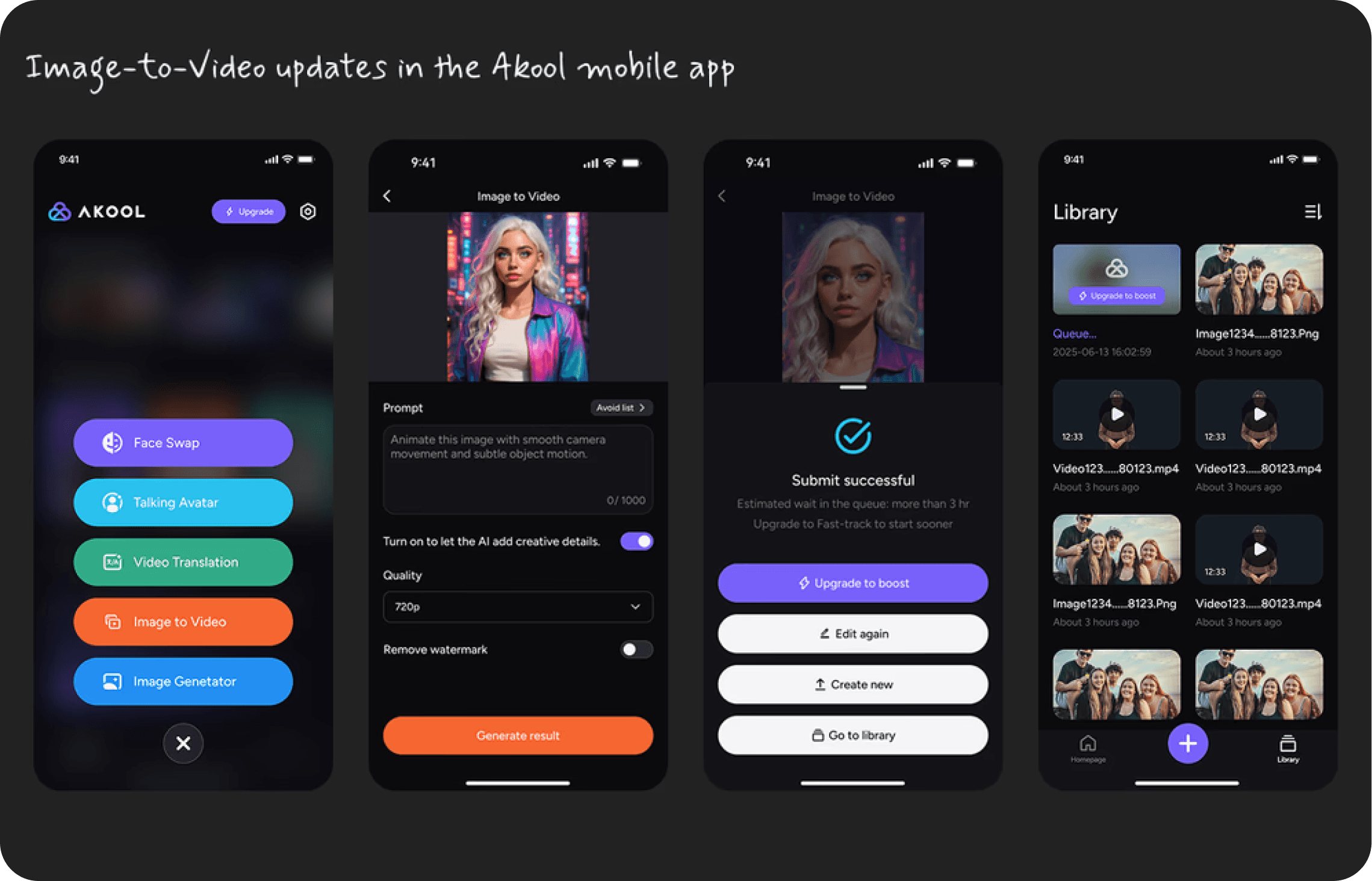
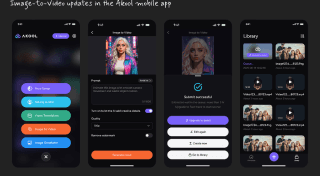
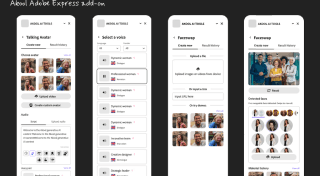
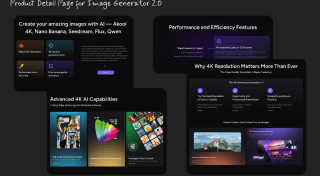
Product Extensions
Includes mobile app feature designs, an
Adobe Express plugin, new product
pages, and marketing covers, all
designed by me.



Thanks for taking
the time to read
this case study ;D
If the work resonates or
sparks your curiosity, I’d
love to chat.
mshuxy@gmail.com
Thank you for Visiting
Eat. Sleep. Design. Repeat.

©Xiaoyang Hu 2025